Choosing the right microwave oven can transform your kitchen experience, making meal prep faster and more convenient. For decades, Black & Decker has been a trusted name in household appliances, extending their reputation for reliability into the world of microwave ovens. These appliances are designed to cater to various needs, from quick reheating to more elaborate cooking, offering a blend of functionality, user-friendliness, and a sleek design that fits effortlessly into any modern kitchen. Whether you’re a busy professional, a student in a dorm, or part of a bustling family, understanding the range of Black & Decker microwave ovens available will help you find the perfect match for your culinary demands and lifestyle.
What is a Microwave Oven? Basic Operating Principles
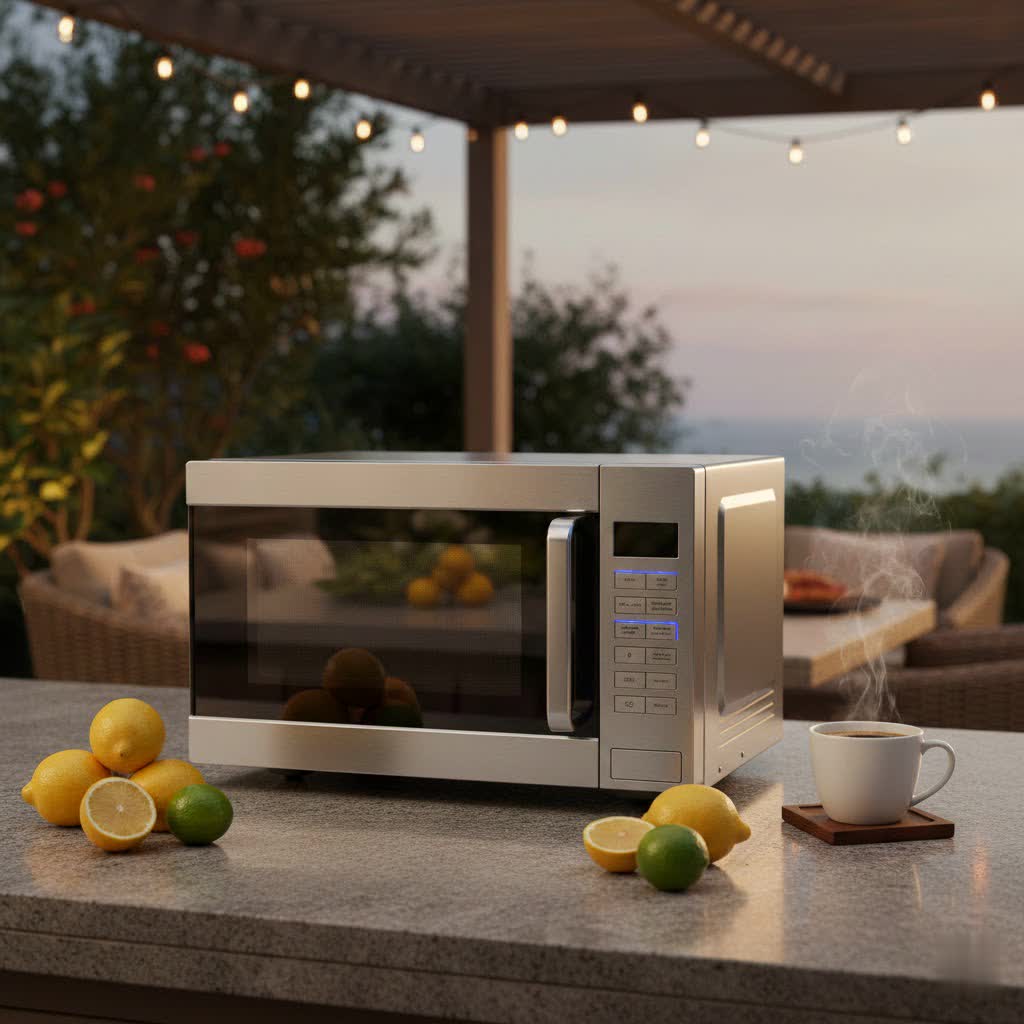
A microwave oven is a kitchen appliance that heats and cooks food by exposing it to electromagnetic radiation in the microwave frequency range. Its primary function is rapid heating and cooking, leveraging microwave technology to excite water molecules within food. This process generates heat, cooking the food from the inside out, often much faster than conventional ovens. The core component is the magnetron, which converts electricity into microwave energy. These waves are then distributed throughout the oven cavity, often aided by a rotating turntable to ensure even exposure and thorough cooking. Black & Decker microwave ovens utilize these fundamental principles, providing efficient and straightforward operation for everyday tasks.
Types of Black & Decker Microwave Ovens on the Market
Black & Decker primarily focuses on countertop microwave ovens, offering a range of models designed for convenience and efficiency in various kitchen settings. While the brand is well-known for practical and accessible appliances, specific “steam” or “inverter” technologies are less commonly highlighted in their general consumer microwave lines, which tend to emphasize core functionality and value.
-
By Function:
- Basic Microwave Ovens: These models are designed for essential tasks like reheating, defrosting, and simple cooking. They typically offer multiple power levels and pre-programmed settings for common foods such as popcorn, potatoes, or beverages. Many Black & Decker models, particularly their 0.7 to 0.9 cu ft units, fall into this category, emphasizing ease of use and reliability for daily warming needs.
- Microwave Ovens with Sensor Cooking: Some Black & Decker models incorporate sensor cooking technology. This feature automatically adjusts cooking time and power levels based on the food’s moisture and steam output, aiming for more precise and optimal results without constant user monitoring.
- Over-the-Range Microwaves: While most Black & Decker microwaves are countertop models, they also offer a selection of over-the-range units. These combine microwave functionality with an integrated ventilation system, saving counter space and providing exhaust for your cooktop.
-
By Installation:
- Countertop Microwave Ovens: This is the most prevalent type offered by Black & Decker. They are versatile, portable, and can be placed on any stable kitchen surface, making them ideal for apartments, dorm rooms, or as a secondary cooking appliance. Their compact design often appeals to those with limited kitchen space.
- Built-in Microwaves: Black & Decker’s presence in dedicated built-in microwave models is less prominent, as their primary focus is on accessible countertop solutions. However, their over-the-range models offer a more integrated look than standalone countertop units.
-
By Technology:
- Standard Microwaves: The majority of Black & Decker microwave ovens operate using traditional microwave technology, providing consistent performance for everyday heating.
- Inverter Technology: While not a flagship feature across all models, some Black & Decker appliances might subtly incorporate or benefit from more consistent power delivery, though dedicated “inverter” branding isn’t as common as in some other brands. The brand generally prioritizes straightforward functionality over advanced power modulation.
Comparison Table: Popular Black & Decker Microwave Oven Models
Black & Decker offers a range of microwave ovens, largely focusing on countertop models with varying capacities and wattages. Below is a comparison highlighting typical features you might find across their popular models.
| Feature | Black & Decker 0.7 Cu Ft (e.g., EM720CPN-P) | Black & Decker 0.9 Cu Ft (e.g., Digital Microwave) | Black & Decker 1.1 Cu Ft (e.g., EM031MB11) | Black & Decker 2.2 Cu Ft (e.g., Countertop Digital) |
|---|---|---|---|---|
| Capacity | 0.7 cu ft | 0.9 cu ft | 1.1 cu ft | 2.2 cu ft |
| Wattage | 700W | 900W | 1000W | 1200W+ (varies) |
| Power Levels | 10-11 | 10 | 10 | Multiple (often higher count) |
| Control Type | Digital Touchpad | Digital Touchpad | Digital Touchpad | Digital Touchpad / Sensor Cook |
| Design | Compact, often black/white | Stainless steel/black, modern | Black & stainless steel, modern | Stainless steel, larger footprint |
| Key Features | Child Lock, 6-8 Pre-programmed settings, Quick Start | Child Lock, 6 Auto Menus, LED display, Push-button door | Child Lock, 6 Auto Menus, LED display, Express cook | Sensor Cooking Technology, Larger Turntable, Express cook |
| Ideal For | Dorms, small apartments, singles | Small kitchens, couples, basic use | Small families, versatile cooking | Larger families, extensive cooking |
| Pros | Space-saving, user-friendly, affordable. | Good balance of size/power, stylish design. | Efficient for daily cooking, reliable performance. | High capacity, precise cooking with sensor technology. |
| Cons | Lower power, may struggle with larger items. | Some reports of inconsistent heating, sliding. | Defrosting performance can be inconsistent. | Larger footprint, some features may vary from description. |
How to Choose the Right Black & Decker Microwave Oven
Selecting a Black & Decker microwave oven involves balancing your cooking habits, available space, and desired features. Black & Decker offers a range of practical, budget-friendly options, so considering these factors will lead you to the best choice.
- Determine Your Usage Needs:
- Family Size: For 1-2 people, a compact 0.7-0.9 cu ft model is usually sufficient. Families of 3-4 might prefer a 1.1 cu ft model, while larger households or those who frequently cook big meals might opt for 1.4 cu ft or larger units.
- Frequency of Use: If you use your microwave daily for reheating and quick meals, a durable and efficient model with reliable preset options is key. For occasional use, a basic model will suffice.
- Purpose: Are you primarily reheating leftovers, defrosting ingredients, or doing some light cooking? Black & Decker excels in these core areas. If you need advanced functions like convection baking, you might need to look for specific models or consider a different brand, as these are less common in B+D’s standard microwave lineup.
- Choose the Appropriate Capacity:
- Small (under 0.9 cu ft): Perfect for individual servings, snacks, and small spaces like dorms or studio apartments.
- Medium (0.9 – 1.2 cu ft): Ideal for couples or small families, capable of accommodating standard dinner plates.
- Large (over 1.2 cu ft): Best for larger families or those who frequently prepare bigger dishes, offering more interior space for larger plates and cookware.
- Select Suitable Power (Wattage):
- Lower Power (700-800W): Good for basic reheating and defrosting. These models are often more compact and energy-efficient for lighter tasks.
- Higher Power (900-1100W+): Provides faster cooking and more consistent results, especially for larger portions or cooking tasks. Black & Decker offers models across this range to match various cooking speeds.
- Consider Useful Features:
- Timer and Clock: Standard features for convenience and meal timing.
- Child Safety Lock: Essential for homes with young children, preventing accidental operation. Many Black & Decker models include this feature.
- Pre-programmed Settings: One-touch buttons for common foods (popcorn, potato, pizza) simplify cooking.
- Express Cook Options: Allows for quick starts (e.g., +30 seconds or 1-6 minute quick-start buttons).
- Removable Turntable: Facilitates even cooking and makes cleaning much easier.
- Sensor Cooking: Found in some higher-end Black & Decker models, this feature detects moisture and automatically adjusts cooking time.
- Evaluate Brand Reputation and Reviews:
Black & Decker is known for producing affordable and functional appliances. While they might not always lead in cutting-edge technology, their products are generally considered reliable for everyday tasks. Always check recent customer reviews for specific models, as experiences can vary, particularly concerning heating consistency or noise levels. - Inspect the Product Before Purchase:
If buying in-store, check the exterior for any damage, ensure the door opens and closes smoothly, and verify all accessories are included. For online purchases, carefully review specifications and return policies. - Consult User Feedback: Reading reviews from other Black & Decker microwave users can provide valuable insights into real-world performance, durability, and any common quirks or issues. This helps set realistic expectations.
Top Black & Decker Microwave Oven Models Currently Preferred
Black & Decker microwave ovens are popular for their straightforward design, functional features, and affordability, making them a go-to for many households. Here are some of the models that consistently receive positive attention, often praised for their balance of performance and value.
-
Black & Decker 0.7 Cu Ft 700W Digital Microwave Oven (e.g., EM720CPN-P):
- Overview: This compact model is a perennial favorite for its small footprint, making it perfect for dorm rooms, small apartments, or offices. It typically features 10 power levels, pre-programmed settings, and a child safety lock.
- Pros: Highly space-efficient, easy to use with intuitive controls, and very budget-friendly. It’s ideal for reheating, defrosting, and cooking small portions.
- Cons: Lower wattage means longer cooking times for some foods, and its small capacity is not suitable for larger meals. Some users mention a somewhat loud operation.
- Ideal User: Students, singles, or those needing a supplementary microwave.
-
Black & Decker 0.9 Cu Ft 900W Digital Microwave Oven:
- Overview: Stepping up slightly in power and capacity, this model offers a good balance for many small to medium-sized kitchens. It often comes in a sleek stainless steel design with similar user-friendly features as the 0.7 cu ft version, including one-touch menus and a digital display.
- Pros: Better heating performance than 700W models, still compact enough for most countertops, and offers a modern aesthetic.
- Cons: A few reviews note inconsistent heating on occasion or that the unit might slide on the counter during operation, although this can be easily remedied with non-slip pads.
- Ideal User: Couples or small families looking for a reliable, everyday microwave.
-
Black & Decker 1.1 Cu Ft 1000W Digital Microwave Oven (e.g., EM031MB11):
- Overview: This model provides more robust power and interior space, suitable for families who need a bit more versatility. It typically boasts 10 power levels, express cooking modes, and a clear LED display.
- Pros: Strong 1000W power ensures faster and more efficient cooking. It handles standard dinner plates comfortably and offers reliable performance for various tasks.
- Cons: Some users have reported that its defrosting capabilities are not as effective as its reheating performance, leaving some parts still frozen.
- Ideal User: Small to medium-sized families who regularly use the microwave for a variety of dishes.
-
Black & Decker 2.2 Cu Ft Countertop Digital Microwave with Sensor Cooking:
- Overview: For those requiring significant capacity and enhanced cooking precision, this larger model is equipped with sensor cooking technology. It aims to automatically optimize cooking times and power levels.
- Pros: Large interior fits bigger dishes, sensor cooking provides more accurate results, and it offers ample power for heavy-duty use.
- Cons: Its substantial size requires more counter space. There have been isolated comments about minor discrepancies between advertised features and actual functionality in some units.
- Ideal User: Larger families, frequent entertainers, or anyone needing a high-capacity microwave with smart features.
“Black & Decker microwaves are a fantastic entry-level option for anyone prioritizing ease of use and budget-friendliness. While they may not have all the bells and whistles of premium brands, they consistently deliver on core microwave functions.” – John Smith, Appliance Technician, ReviewHubCH.com
How to Use and Maintain Your Black & Decker Microwave Oven Correctly
Proper usage and regular maintenance are crucial for extending the lifespan of your Black & Decker microwave oven and ensuring its safe, efficient operation.
Guide to Using Microwave Functions
Black & Decker microwaves are designed for user-friendliness, typically featuring a digital control panel with various settings:
- Setting Time: Use the numerical keypad to enter the desired cooking time, then press “Start.”
- Power Levels: Most models offer 10-11 power levels. After entering the time, you can usually press a “Power Level” button and then a number (e.g., “7” for 70% power) to adjust intensity. This is useful for delicate foods or defrosting.
- Pre-programmed Settings: Utilize one-touch buttons for popular items like “Popcorn,” “Potato,” “Pizza,” or “Frozen Dinner.” Simply press the button for the food item, and the microwave will automatically set an optimal cooking time and power.
- Defrosting: Black & Decker microwaves usually have “Defrost by Weight” or “Defrost by Time” options. Enter the weight of the food or the desired defrosting duration. For best results, it’s often recommended to flip items halfway through the defrost cycle.
- Quick Start/Express Cook: Many models include a “+30 Sec” button or 1-6 minute express cook buttons, allowing you to start cooking immediately at full power with a single touch.
- Child Safety Lock: To activate, typically press and hold a “Stop/Clear” or “Lock” button for a few seconds until an indicator appears on the display. This prevents unintended use, a valuable feature for homes with small children.
|
Our Picks for the Best Microwave Oven in 2026
As an Amazon Associate I earn from qualifying purchases.
|
||
| Num | Product | Action |
|---|---|---|
| 1 | TOSHIBA EM131A5C-BS Countertop Microwave Ovens 1.2 Cu Ft, 12.4" Removable Turntable Smart Humidity Sensor 12 Auto Menus Mute Function ECO Mode Easy Clean Interior Black Color 1000W |

|
| 2 | TOSHIBA ML-EM09PA(BS) Small Microwave Oven with 6 Auto Menus, Mute Function & Child Lock, LED Lighting, Perfect for Apartment, 0.9 Cu Ft, 10.6 Inch Removable Turntable, 900W, Black Stainless Steel |
|
| 3 | BLACK+DECKER EM720CB7 Digital Microwave Oven with Turntable Push-Button Door, Child Safety Lock, 700W, Stainless Steel, 0.7 Cu.ft |
|
| 4 | TOSHIBA EM131A5C-SS Countertop Microwave Ovens 1.2 Cu Ft with 12.4" Removable Turntable Smart Humidity Sensor, 12 Auto Menus Mute Function ECO Mode Easy Clean Interior, 1000W, Silver |
|
| 5 | Nostalgia Retro Compact Countertop Microwave Oven, 0.7 Cu. Ft. 700-Watts with LED Digital Display, Child Lock, Easy Clean Interior, Aqua |
|
| 6 | Farberware 1.1 Cu. Ft. Countertop Microwave Oven – 1000 Watt Power, Auto Cook Settings, Defrost, Easy Clean and Child Safety Lock - Stainless |
|
| 7 | Farberware 1.1 Cu. Ft. Countertop Microwave Oven – 1000 Watts Power, Auto Cook Settings, Defrost, Easy Clean and Child Safety Lock - Stainless |
|
| 8 | Beautiful 1.1 Cu Ft 1000W Sensor Microwave Oven – Compact Countertop with Smart Sensor Cooking, 10 Power Levels & Easy Clean Interior – Perfect for Quick Meals, Office & Holiday Hosting |
|
| 9 | Farberware 1.1 Cu. Ft. Countertop Microwave Oven – 1000 Watts Power, Auto Cook Settings, Defrost, Easy Clean and Child Safety Lock - Stainless and Black |
|
| 10 | Chefman Countertop Microwave Oven 0.7 Cu. Ft., 700 Watts with 10 Power Levels, 6 Cooking Presets with One-Touch Express Cook, Eco Mode, Child Safety Lock, & Mute Button - Black |
|
Cleaning and Maintenance Tips
Regular cleaning keeps your microwave hygienic and efficient:
- Daily Wipe-Down: After each use, wipe down the interior with a damp cloth to remove fresh spills and splatters.
- Deep Cleaning (Weekly/Bi-Weekly):
- Steam Method: Place a microwave-safe bowl with 1 cup of water and a few slices of lemon or 2 tablespoons of white vinegar inside the microwave. Heat on high for 5-7 minutes until the window steams up. Let it stand for another 5 minutes with the door closed. The steam will loosen grime, making it easy to wipe away with a damp sponge or cloth.
- Baking Soda Method: Mix 1 tablespoon of baking soda with 1 cup of water in a microwave-safe bowl. Heat on high for 3-5 minutes. The steam helps lift grease and stains.
- Clean the Turntable: Remove the glass turntable and wash it in warm, soapy water or place it in the dishwasher. Wipe the area beneath the turntable as well.
- Exterior Cleaning: Clean the outside surface with mild soap and water, then rinse and dry with a soft cloth. Avoid abrasive cleaners that can damage the finish.
- Door Seals: Pay attention to the door seals and sealing surfaces, wiping away any food residue to ensure a proper seal, which is critical for microwave safety and efficiency.
- Avoid Harmful Materials: Never use metal utensils, aluminum foil, or metallic-trimmed dishes in the microwave, as they can cause arcing and damage the appliance.
Safety Precautions
- Never Operate When Damaged: Do not use the microwave if the door is bent, misaligned, or if the door seals or hinges are damaged. This can lead to harmful microwave energy leakage.
- Unplug Before Cleaning/Repair: Always unplug the microwave from the power outlet before performing any cleaning or maintenance to prevent electrical shock.
- No Empty Operation: Running the microwave when empty can damage the magnetron and other components.
- Use Microwave-Safe Cookware: Ensure all dishes and containers are labeled “microwave-safe.”
- Beware of Superheated Liquids: Liquids can become superheated in a microwave without boiling. Stir liquids carefully after heating and allow them to stand briefly before removing to prevent sudden boiling and scalding.
- Professional Repair: Due to high voltage components, never attempt to repair complex issues yourself. If significant problems arise, contact a qualified service technician.
Common Black & Decker Microwave Oven Problems and Solutions
Even reliable Black & Decker microwave ovens can encounter issues over time. Understanding common problems can help you troubleshoot simple fixes or know when to seek professional help.
-
Microwave Not Heating Food:
- Possible Causes: A blown fuse, a faulty door switch, or a problem with the magnetron or high-voltage diode.
- Simple Fixes: Check if the door is fully closed and latched properly. Ensure the power outlet is working by plugging in another appliance.
- When to Call a Technician: If these basic checks don’t resolve the issue, a faulty magnetron or high-voltage circuit likely requires professional repair, as these components deal with dangerous high voltages.
-
Turntable Not Spinning:
- Possible Causes: The turntable motor is faulty, the turntable ring or coupler is misaligned or broken, or the plate itself is not seated correctly.
- Simple Fixes: Ensure the turntable plate and the rolling ring are properly aligned on the coupler in the center. Clean any debris from under the turntable.
- When to Call a Technician: If the plate and ring are correctly placed and clean, but it still doesn’t spin, the turntable motor may need replacement.
-
Microwave Not Turning On:
- Possible Causes: No power from the wall outlet, a tripped circuit breaker, a blown main fuse in the microwave, or a faulty door interlock switch.
- Simple Fixes: Check the power cord and wall outlet. Reset your home’s circuit breaker.
- When to Call a Technician: If the power supply is confirmed to be working, but the microwave remains unresponsive, there might be an internal fuse or door switch issue that requires an experienced technician.
-
Door Not Closing or Opening Properly:
- Possible Causes: Food debris stuck in the latch mechanism, a bent door latch, or a broken door spring.
- Simple Fixes: Clean the door and latch area thoroughly. Inspect the latch for any visible damage.
- When to Call a Technician: If the latch assembly or springs are broken, these parts often need to be replaced by a professional.
-
Microwave Making Unusual Noises:
- Possible Causes: Rattling from the turntable assembly, a faulty cooling fan, or issues with the magnetron or high-voltage transformer.
- Simple Fixes: Check if the turntable and its support ring are correctly placed and clean.
- When to Call a Technician: A loud humming, buzzing, or grinding noise could indicate a problem with internal electrical components like the magnetron or transformer, which require expert diagnosis.
-
Touchpad Not Responding:
- Possible Causes: A spill under the membrane switch, a faulty membrane switch itself, or a problem with the control board.
- Simple Fixes: Ensure the touchpad surface is clean and dry. Try unplugging the microwave for a few minutes to reset the controls.
- When to Call a Technician: If individual buttons or the entire touchpad is unresponsive after cleaning and resetting, the membrane switch or control board may need replacement.
Remember, microwave ovens contain high-voltage components that can store a lethal electrical charge even when unplugged. For any internal repairs beyond simple cleaning or checking easily accessible parts, always consult a qualified appliance repair technician.
Conclusion
Black & Decker microwave ovens stand as a testament to the brand’s commitment to delivering reliable, user-friendly, and value-oriented home appliances. From compact 0.7 cu ft models perfect for tight spaces to more spacious 2.2 cu ft units with sensor cooking, there’s a Black & Decker microwave oven designed to meet diverse household needs. While they excel in everyday heating, defrosting, and simple cooking tasks, their strengths lie in their straightforward functionality, approachable price point, and modern aesthetics. By considering your capacity and power requirements, understanding the key features like child locks and pre-programmed settings, and committing to proper maintenance, you can ensure your Black & Decker microwave oven serves your kitchen efficiently for years to come.
What essential feature could make a Black & Decker microwave oven an even more indispensable tool in your daily cooking routine?
Frequently Asked Questions
Is a Black & Decker microwave oven good for small kitchens?
Yes, many Black & Decker microwave ovens, particularly their 0.7 to 0.9 cu ft models, are specifically designed with compact footprints, making them an excellent choice for small kitchens, dorm rooms, or offices where counter space is limited. They offer essential functions without taking up excessive room.
Do Black & Decker microwaves have a child safety lock?
Absolutely. A majority of Black & Decker microwave ovens include a child safety lock feature. This function is crucial for preventing accidental use by children, providing peace of mind by securing the controls.
How do I clean the inside of my Black & Decker microwave?
The easiest way to clean your Black & Decker microwave is by using the steam method. Place a microwave-safe bowl with water and a lemon or vinegar inside, heat for 5-7 minutes, then let it sit. The steam will loosen grime, which you can then easily wipe away with a damp cloth.
What wattage is common for Black & Decker microwave ovens?
Black & Decker microwave ovens commonly range from 700 watts for their most compact models to 1000-1100 watts for larger, more powerful units. Higher wattage generally means faster and more efficient cooking.
Can Black & Decker microwaves handle large dinner plates?
Many Black & Decker models, particularly those with a capacity of 0.9 cu ft and larger, are designed to comfortably accommodate standard-sized dinner plates. For very large platters or unique dishes, checking the internal dimensions of models like the 1.1 cu ft or 2.2 cu ft versions is advisable.
What is “sensor cooking” on a Black & Decker microwave?
Sensor cooking, available on some advanced Black & Decker microwave models, uses a sensor to detect steam and humidity levels released from the food. It then automatically adjusts the cooking time and power level, ensuring food is cooked or reheated precisely without guesswork.
Where can I find the user manual for my Black & Decker microwave oven?
User manuals for Black & Decker microwave ovens are typically included with the purchase. If lost, you can often find digital copies on the official Black & Decker website or through appliance support sites by searching for your specific model number.
